

Are you looking to mastering Tally Accounting and manage your business accounts effortlessly? Whether you are a small business owner, student, or accountant, understanding how to use Tally for accounting is a game-changer. In this detailed guide, we will explain step-by-step how to master Tally Accounting from scratch, including its features, practical tips, and best practices to manage your business finances like a pro.
What Is Tally Accounting?
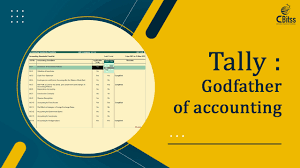
Tally is one of the most popular accounting software solutions used by businesses worldwide. It helps organizations maintain accounts, generate financial reports, manage inventory, handle payroll, and comply with taxation requirements like GST (Goods and Services Tax) in India.mastering Tally Accounting
👉 The power of Tally lies in its simplicity combined with powerful accounting capabilities, making it ideal for small and medium businesses.mastering Tally Accounting
✅ Why Is Mastering Tally Accounting Important?
- ✅ Simplifies business accounting
- ✅ Ensures accurate financial records
- ✅ Saves time with automation
- ✅ Helps in GST compliance
- ✅ Provides real-time financial insights
By mastering Tally Accounting, you can handle invoices, payments, taxation, financial reports, and more with confidence.
Step 1: Installation of Tally Software
- Download Tally from the official website: https://tallysolutions.com
- Install the software by following the simple installation wizardmastering Tally Accounting
- Activate the license if using the full version, or use the trial version for learning purposes.
✅ Step 2: Create a New Company in Tally
After installing Tally:
- Open Tally
- Select “Create Company”
- Enter company details:
- Name
- Address
- Financial Year
- Currency
- Save the company profile.
👉 This sets up your working environment for entering financial data.
✅ Step 3: Mastering Ledgers in Tally
Ledgers are fundamental in Tally accounting.
Steps to create a ledger:
- Go to Gateway of Tally → Accounts Info → Ledgers → Create
- Enter ledger name (e.g., Sales, Purchase, Cash)
- Select Group (e.g., Sundry Debtors, Sundry Creditors)
- Save the ledger
Example:
- Ledger Name: Sales
- Group: Sales Accounts
Ledgers help categorize transactions and generate accurate financial reports.
✅ Step 4: Recording Vouchers
Vouchers are used to record all transactions in Tally.
Types of vouchers:
- Payment Voucher
- Receipt Voucher
- Contra Voucher
- Journal Voucher
- Sales Voucher
- Purchase Voucher
Example steps to create a Sales Voucher:
- Go to Gateway of Tally → Accounting Vouchers → F8: Sales
- Select Party’s Ledger (Customer Name)
- Enter sales details (Items, Quantity, Rate)
- Save the voucher
This automates recording financial transactions systematically.
✅ Step 5: Inventory Management in Tally
Managing stock in Tally is easy with Inventory Vouchers:
- Create Stock Items → Gateway of Tally → Inventory Info → Stock Items → Create
- Record stock in/out using Stock Journal or Physical Stock Voucher
- Monitor stock levels with reports like Stock Summary and Movement Analysis
Benefits:
- Track available stock
- Manage reorder levels
- Generate stock reports
✅ Step 6: GST in Tally
Tally makes GST compliance easier:
- Enable GST in company features
- Configure GST rates for products
- Generate GST-compliant invoices
- Generate GST Returns (GSTR-1, GSTR-3B) directly from Tally
👉 This reduces manual effort and ensures legal compliance.
✅ Step 7: Generating Financial Reports
Tally provides useful reports instantly:
- Balance Sheet
- Profit & Loss Statement
- Trial Balance
- Cash Flow Statement
- Stock Summary
How to generate reports:
- Gateway of Tally → Display → Accounts Books / Statutory Reports
- Select the report type
- View or export as PDF/Excel
These reports help in analyzing business performance effectively.
✅ Best Practices to Master Tally Accounting
- Always take regular backups of your Tally data
- Use proper naming conventions for Ledgers and Stock Items
- Validate GST setup before filing returns
- Keep your version of Tally updated
- Practice voucher entry daily to gain confidence
✅ Common Challenges and Solutions
| Challenge | Solution |
|---|---|
| Complex GST filing | Use Tally’s GST automation and return filing feature |
| Data Loss | Regular backups in multiple locations |
| Incorrect Ledger Setup | Double-check group classification before saving |
| Inventory Errors | Conduct physical stock checks and reconcile monthly |
✅ Real-Life Example: How Businesses Use Tally Accounting
An SME in India used Tally Accounting to automate:
- Sales invoicing
- GST Returns filing
- Monthly financial reports
- Inventory tracking
Outcome:
- 40% time saved on manual accounting
- Accurate GST compliance without penalties
- Clear insights into cash flow and stock levels

✅ The Future of Tally Accounting
Tally continues evolving by adding cloud-based features, automation of GST filing, and integrating with other business tools. The future of mastering Tally lies in automation, remote access, and smarter reporting.
✅ Conclusion: Why You Should Master Tally Accounting Today
Mastering Tally Accounting empowers you to manage your business’s financial health efficiently. From creating ledgers to handling GST, tracking inventory, and generating reports, a structured approach to Tally saves time, ensures compliance, and improves decision-making.
Start your journey today and make business accounting effortless.
Are you looking to mastering Tally Accounting and manage your business accounts effortlessly? Whether you are a small business owner, student, or accountant, understanding how to use Tally for accounting is a game-changer. In this detailed guide, we will explain step-by-step how to master Tally Accounting from scratch, including its features, practical tips, and best practices to manage your business finances like a pro.
✅ Conclusion: Why You Should Master Tally Accounting Today
Mastering Tally Accounting empowers you to manage your business’s financial health efficiently. From creating ledgers to handling GST, tracking inventory, and generating reports, a structured approach to Tally saves time, ensures compliance, and improves decision-making.
Start your journey today and make business accounting effortless.
Are you looking to mastering Tally Accounting and manage your business accounts effortlessly? Whether you are a small business owner, student, or accountant, understanding how to use Tally for accounting is a game-changer. In this detailed guide, we will explain step-by-step how to master Tally Accounting from scratch, including its features, practical tips, and best practices to manage your business finances like a pro.
Are you looking to mastering Tally Accounting and manage your business accounts effortlessly? Whether you are a small business owner, student, or accountant, understanding how to use Tally for accounting is a game-changer. In this detailed guide, we will explain step-by-step how to master Tally Accounting from scratch, including its features, practical tips, and best practices to manage your business finances like a pro.
Are you looking to mastering Tally Accounting and manage your business accounts effortlessly? Whether you are a small business owner, student, or accountant, understanding how to use Tally for accounting is a game-changer. In this detailed guide, we will explain step-by-step how to master Tally Accounting from scratch, including its features, practical tips, and best practices to manage your business finances like a pro.